Counter billing
Search by brand or generic, or scan a barcode. Pick the batch and expiry, set the quantity in tabs or strips, apply a line or bill discount, and the tax and round off are worked out as you type.
A complete web-based billing and stock system built for one medical store. Bill a customer in seconds, know exactly which batch is on your shelf, catch expiry before it becomes waste, and see whether the month actually made money — from any browser on any device.
Made for a single-counter medical store
Most small medical stores still run on a paper register and memory. That means the wrong selling price, a batch that expired last month, a customer credit nobody wrote down, and no idea at the end of the month whether the shop made money. Medyzo turns all of it into one screen.
Every module is included. Nothing is held back as a paid extra when your shop grows or a new cashier needs an account.
Search by brand or generic, or scan a barcode. Pick the batch and expiry, set the quantity in tabs or strips, apply a line or bill discount, and the tax and round off are worked out as you type.
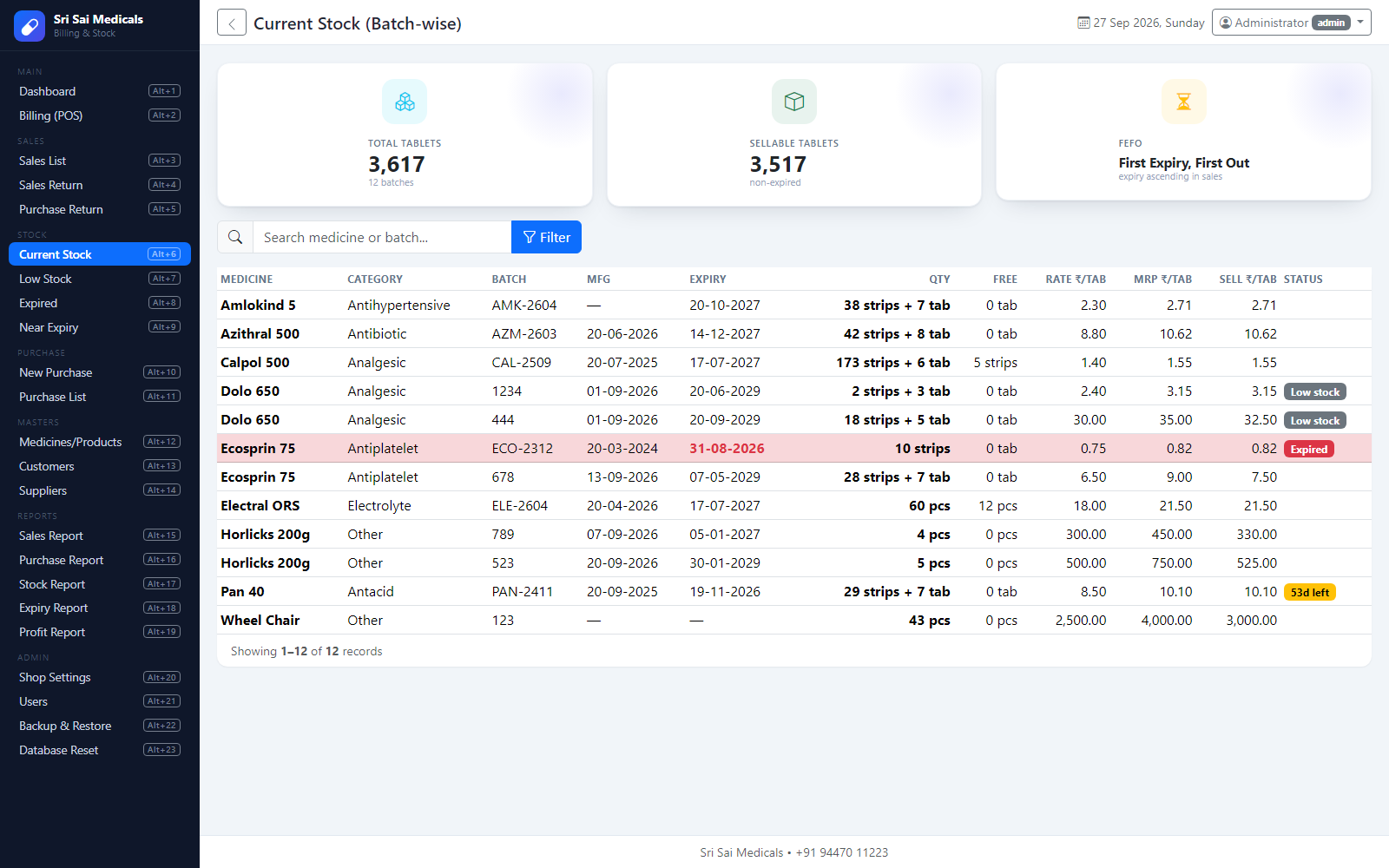
Stock is held per batch, not just per item. Selling reduces the right batch, and the shelf count and the screen agree.
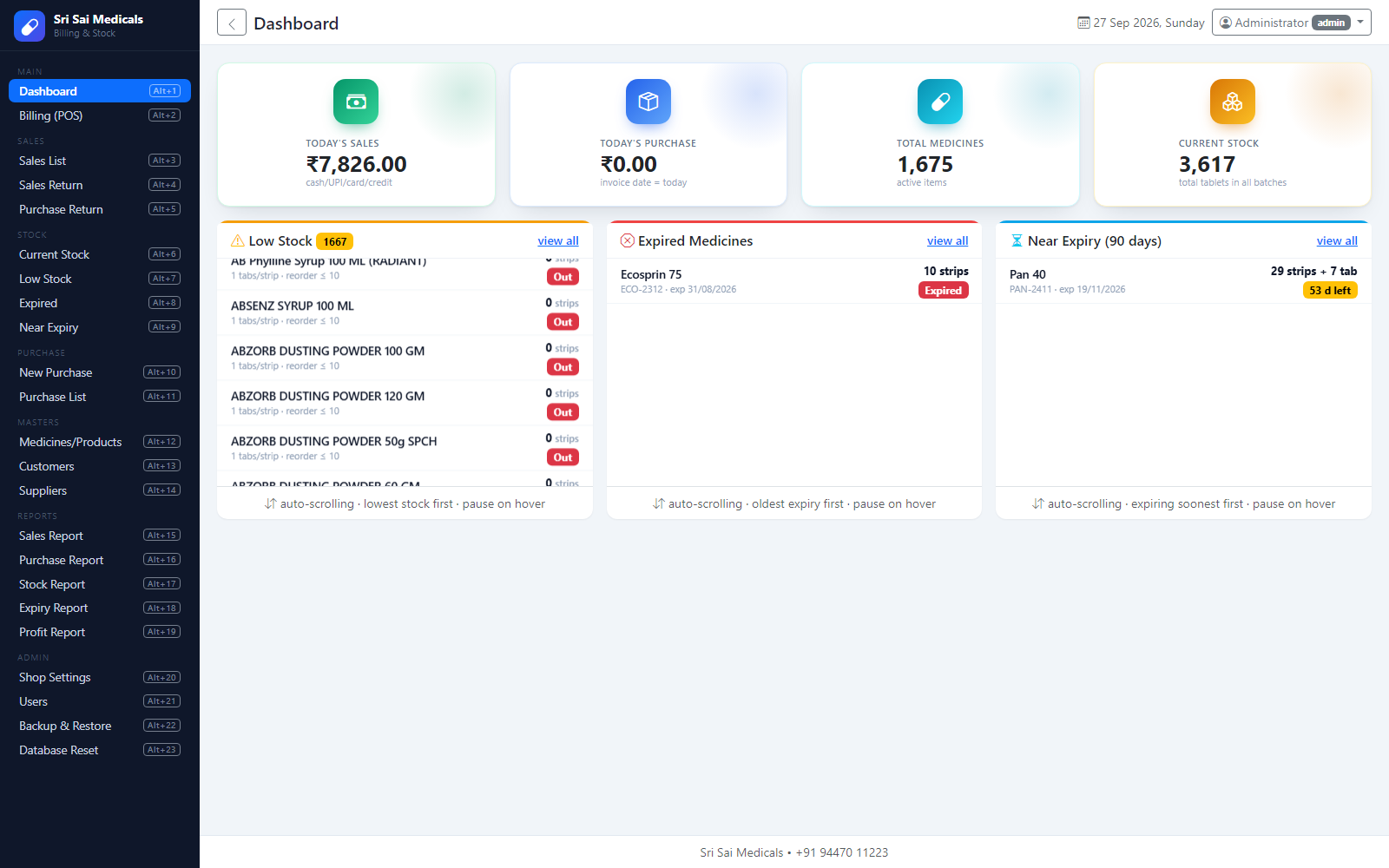
Three separate lists, so a reorder is a shopping list and a batch about to expire is a discount decision you can make in time.
Record purchase invoices with supplier, batch, expiry, free goods and pack size. Edit or delete a purchase, record payments against it, and see what is still outstanding.
Sales return against an invoice, purchase return against a purchase, and supplier returns. Stock and the ledger are corrected automatically.
Save customers with a phone number, keep their full purchase history, and track credit sales so an amount owed does not quietly disappear.
Admin and staff logins. Admin reaches settings, users, backups and reset; staff do the billing. Each user changes their own password.
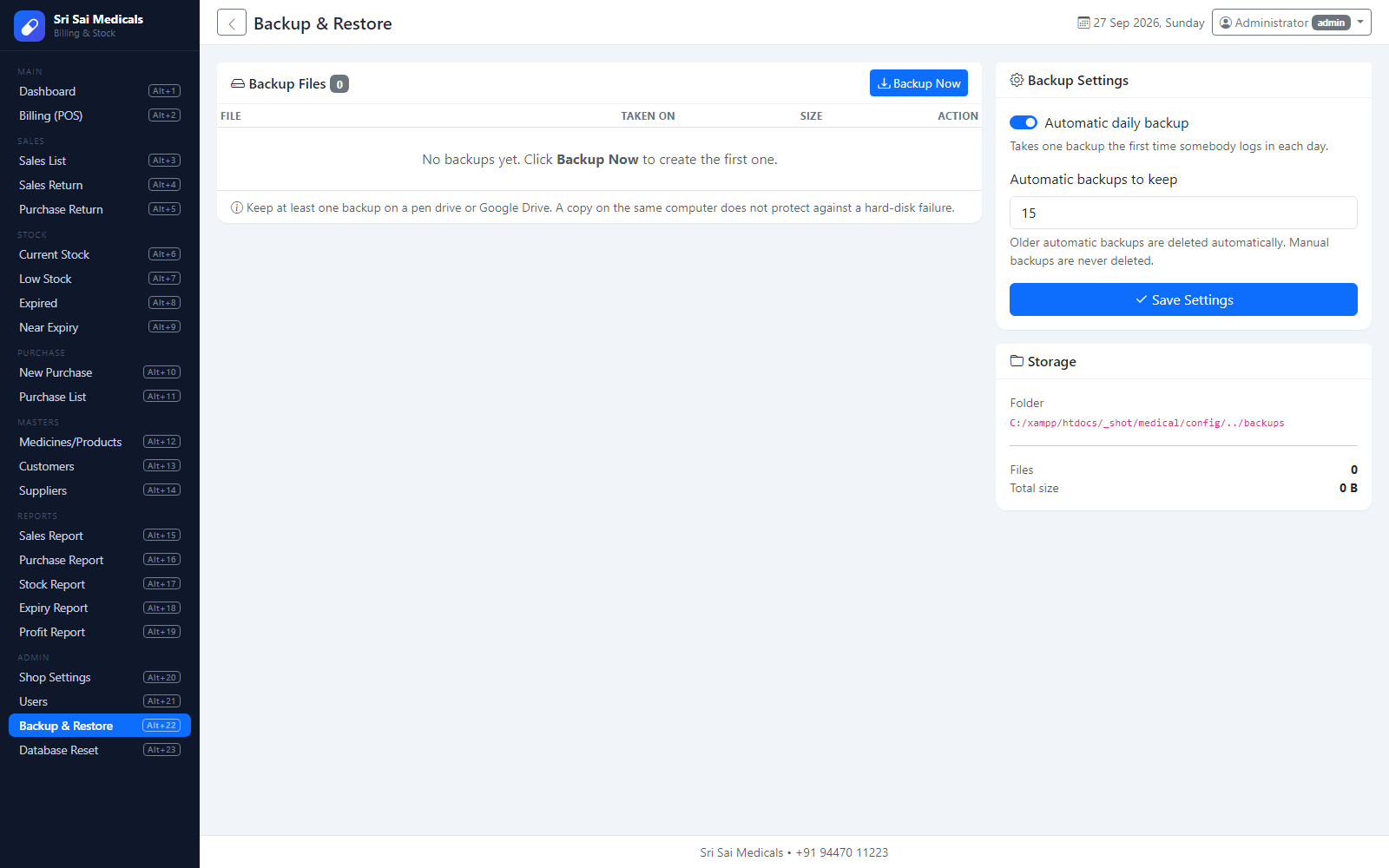
One SQL backup on the first login of each day, kept to a rolling number you choose. Download a copy, or restore any earlier day in a couple of clicks.
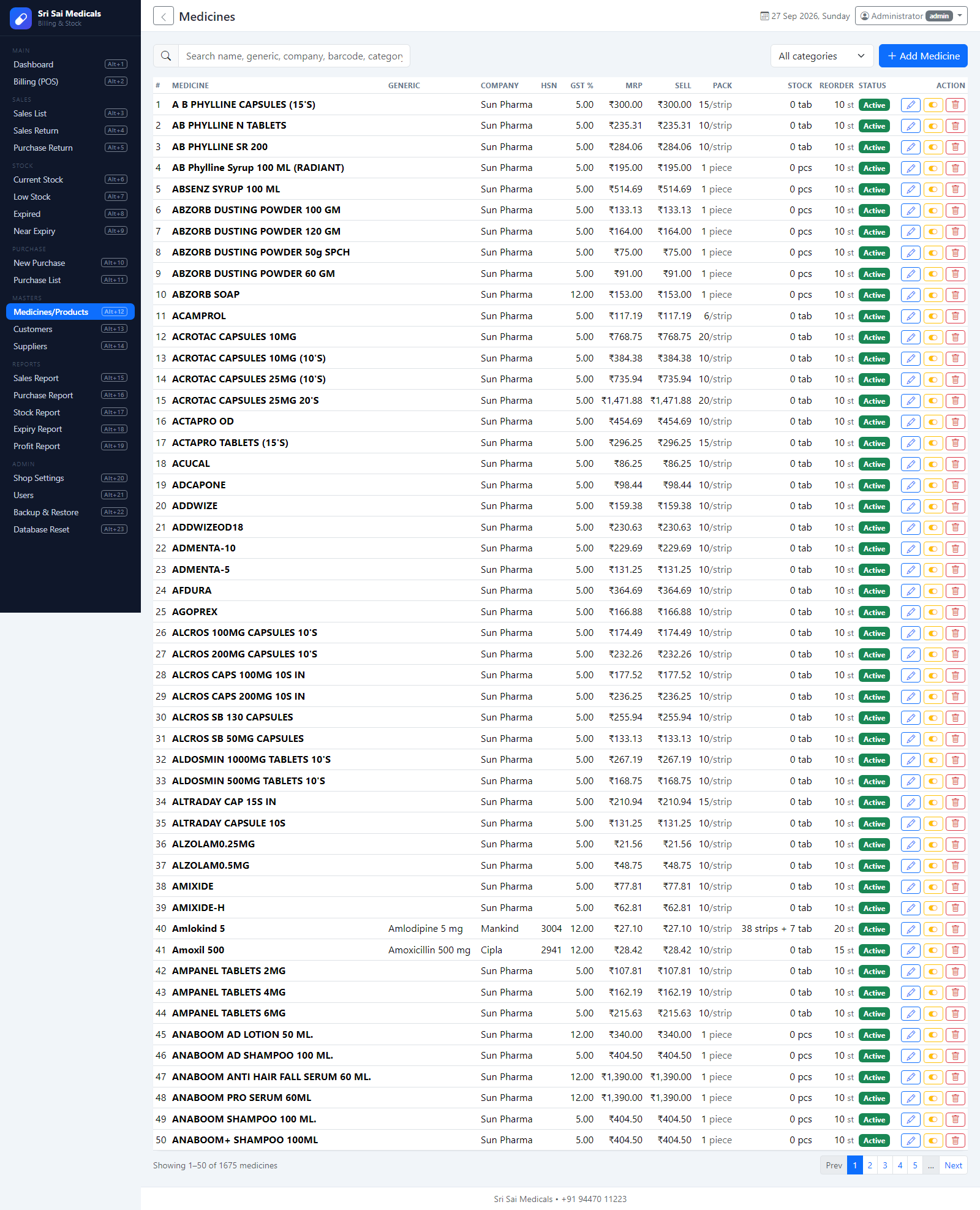
Every image below was captured from the running system. Only the shop name and customer details were replaced with demo values, so nothing on this page belongs to a real customer.
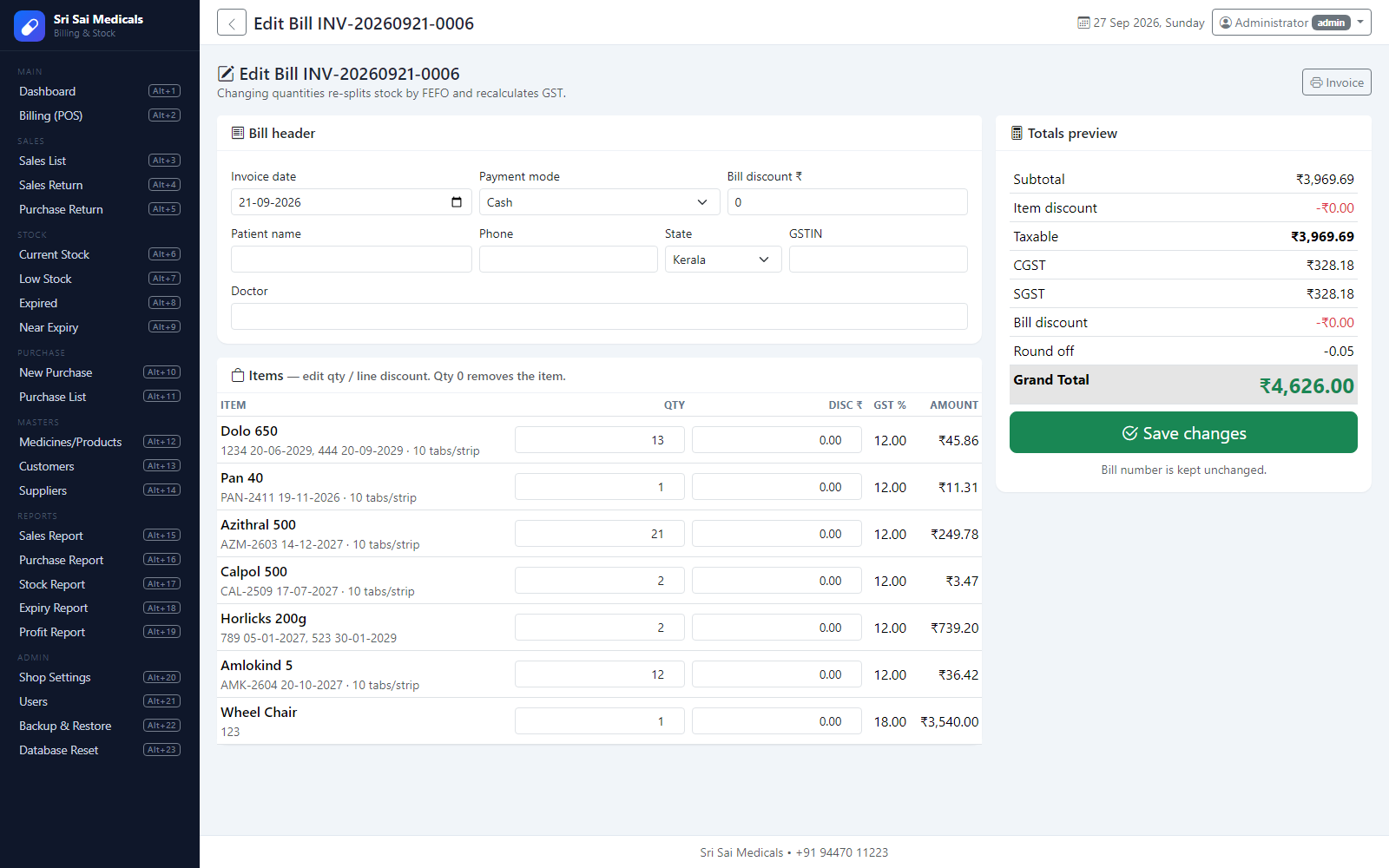
Type a few letters or scan a barcode, choose the batch, set the quantity. Medyzo recalculates the tax, updates stock and prints the receipt. A bill that is not finished can be held and picked up later, and an old bill can be reopened and corrected.
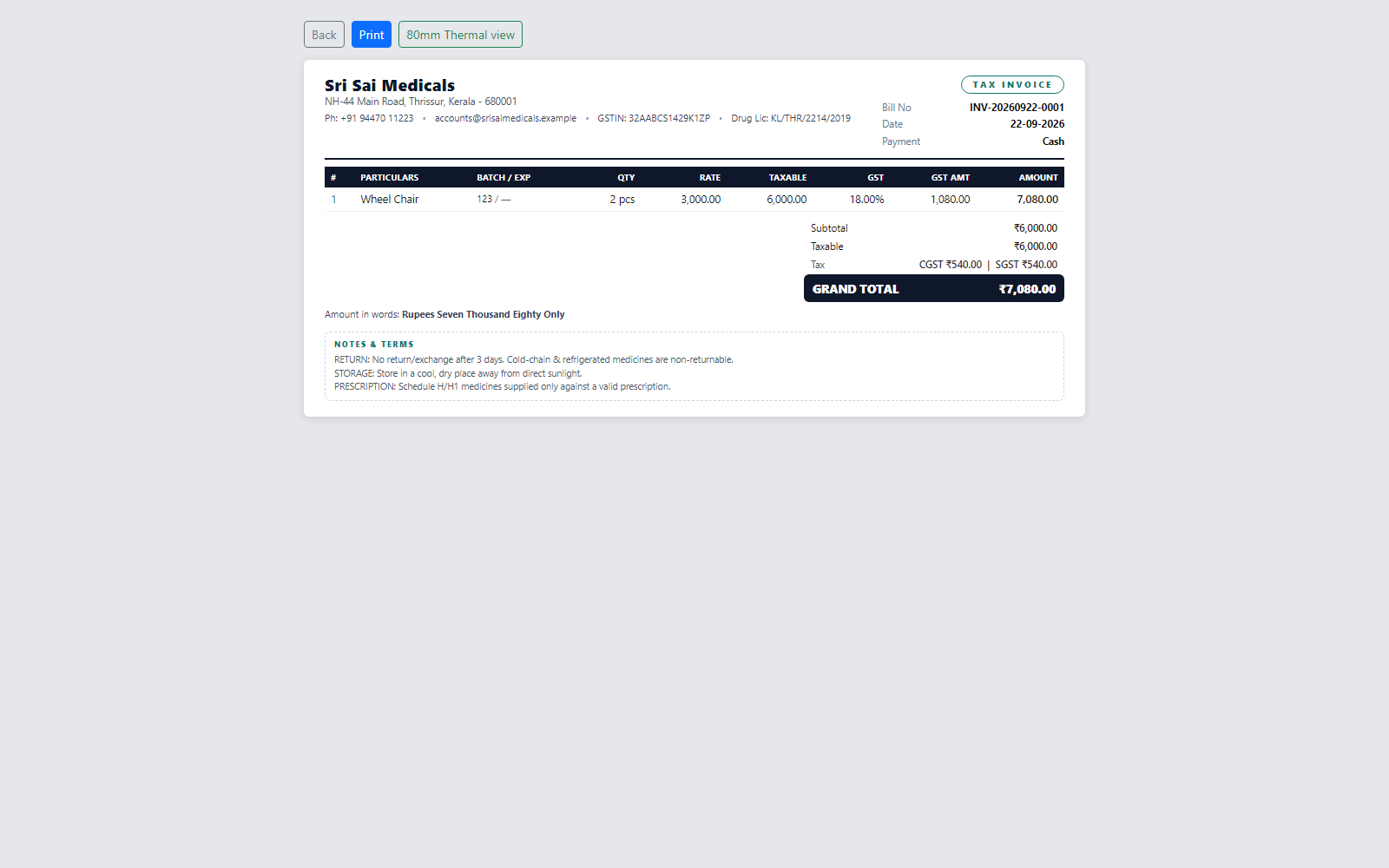
The invoice prints your shop name, address, phone, GSTIN and drug licence number, with the customer's name, and tax summarised as CGST and SGST — or IGST — on a single line. Set your own paper size; A4 and 80mm thermal both work.
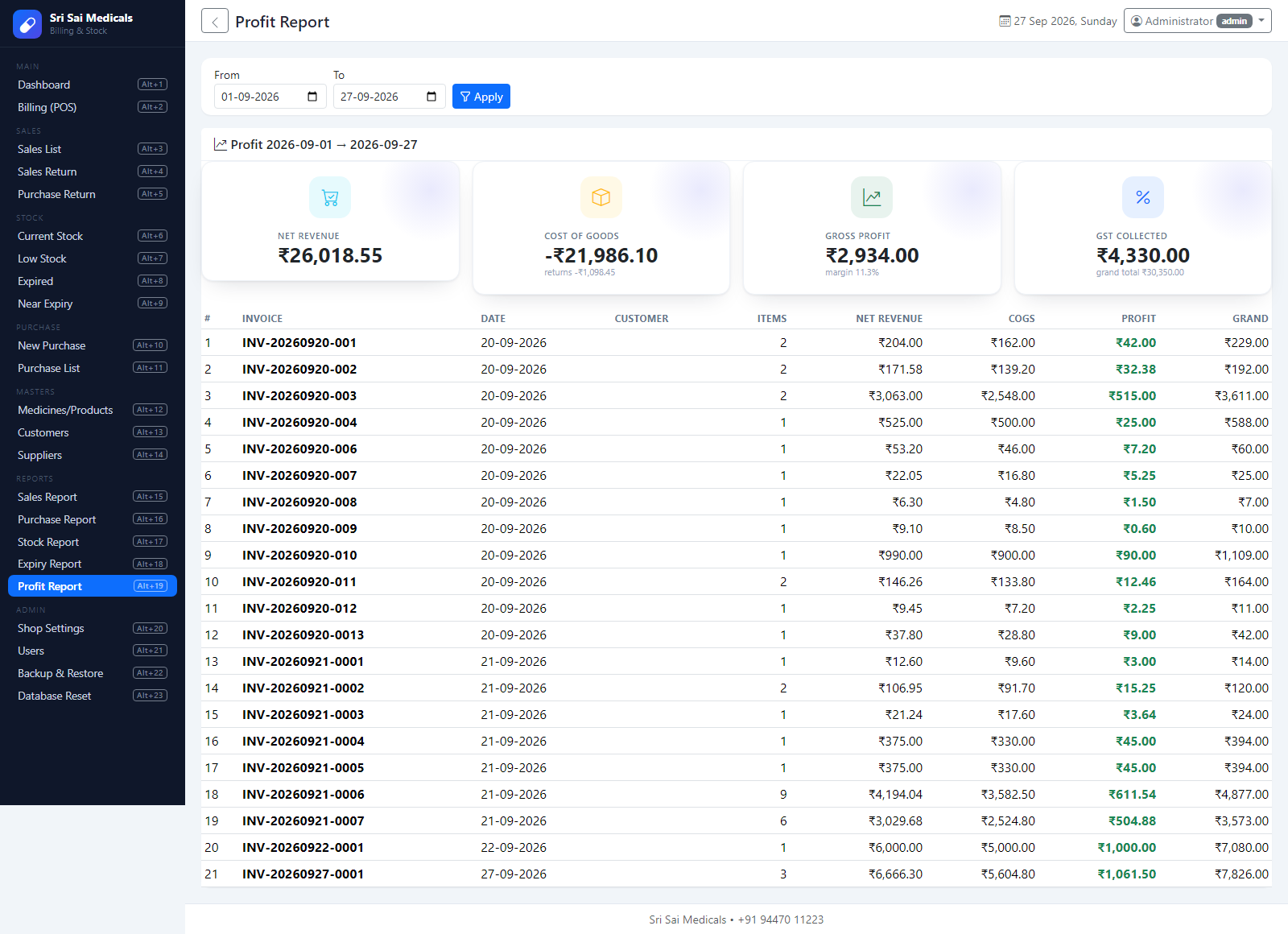
Sales, purchases, stock, expiry and profit over any date range you pick. A licence fee is only worth paying if the numbers are clear, so the profit report is a first-class screen rather than an extra.
You are not buying seats or transactions. The licence covers the whole system for your shop, including every module listed on this page.
Prices depend on the size of your shop and what you need set up, so quote each one rather than publish a number that may not fit. Tell us your monthly billing volume and whether you need suppliers, credit tracking and returns, and you will get a written quote the same day.
No consultants, no migration project, no downtime. Medyzo runs on anything that already runs PHP and MySQL — which is what your web host, and almost every Windows PC, already has.
If your internet drops, billing and stock keep working. Nothing in the system phones home.
A short, honest list, so nothing comes as a surprise on delivery day.
It is a 1-year licence that you renew each year. There is no monthly billing and no per-transaction or per-user fee — the yearly amount covers every module on this page, and your data stays on your own computer either way.
Unzip the folder into your hosting space, import one SQL file, then fill in four values in config/config.php — database name, user, password and nothing else. The install guide walks through it screen by screen. Most shops are done in under half an hour.
Yes, if you run it on a PC in your shop or on your local network, everything keeps working with the internet disconnected. To open it from outside the shop you would need hosting, and therefore a connection.
1,675 common medicines are already loaded, and your own products can be added as you enter purchases or type them into the medicine master. If you have a large existing list, send it to us and we will load it for you as part of setup — that is quoted separately.
Yes. The invoice carries your shop name, address, phone, GSTIN and drug licence number, and itemises tax as CGST and SGST, or IGST. Tax is taken per item from its own rate, so slabs can differ within one bill, and the totals are shown on a single clear line.
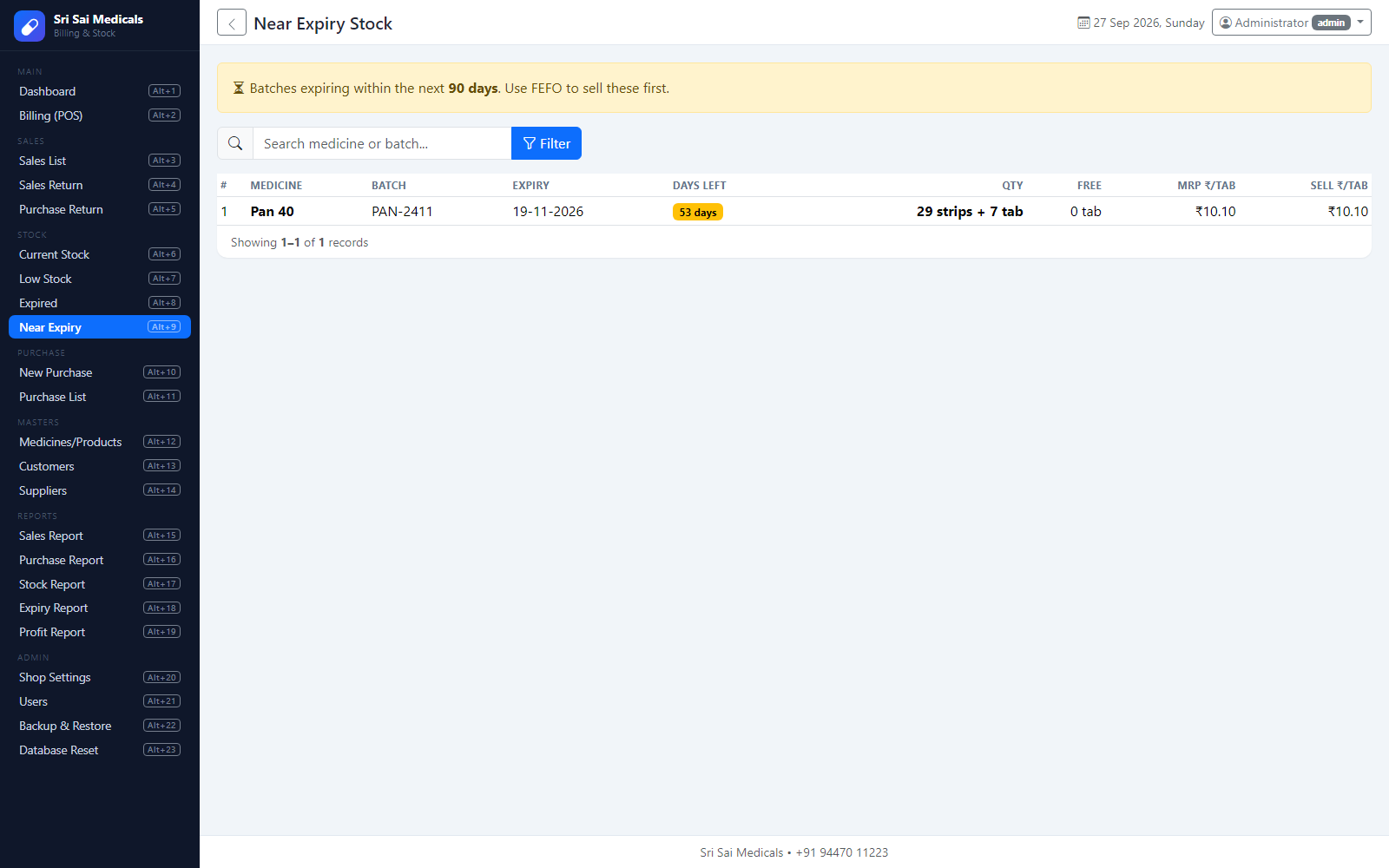
Expired stock is separated on its own screen, and there is a near-expiry list you can set to any window — 90 days by default. Because stock is tracked per batch, the expiry report points at the actual batch and quantity, not just the item name.
No. Staff accounts reach billing, stock, customers, purchases and returns. Shop settings, user accounts, backups and the database reset are for the owner or admin only, and each user changes their own password.
The database sits on your own machine or hosting, not on ours. The system writes one SQL backup on the first login of each day, keeps a rolling number of them, and you can download a copy to your own computer or drive. Any backup can be restored in a couple of clicks, and a safety copy is taken before a restore.
Help with installation on your own server or PC, and 30 days of support after delivery. After that, support is available on request.
Tell us what your shop needs and we will send a written quote. You will also get a live demo of the real screens — the same ones on this page.